Create a more user-centered website that makes information easily accessible, highlights key initiatives, and improves the donation and volunteer experience through a functional prototype.
Project Title
- Sea Turtle Preservation Society
Roles
- UX Researcher
- UI Designer
Deliverables
- User Proto Persona/User Persona
- User Interviews
- Problem Statement
- Heuristic Evaluation
- Ideation Documentation
- Competitor Analysis
- SWOT Analysis
- Storyboard
- User Journey Map
- User Flow
- Card Sort/Site Map
- Mood Board
- Style Tile
- Low-Fi Wireframe
- High-Fi Wireframe
- Low-Fi Prototype
- High-Fi Prototype
- User Testing with User Testing Plan
Further Mentions
- 3 Team Members
- 5 Users for Usability Testing
- Tools used: Figma, Miro, Google Forms, Photoshop
Digital Medium
- Website Redesign
Project Overview
The team discovered that the local sea turtle non-profit needed help with their navigation, condensing information, clearly displaying initiatives and their mission which were hidden, updating the site map to allow for more clarity with navigation options, and updating the aesthetics.
Style & Imagery

#05A2AB

#0493B1

#DABE6A

#011A20

#04AACE, #02878F, #01232B
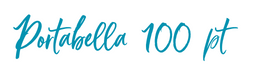
Aa
Open Sans 32pt
Open Sans 18 pt
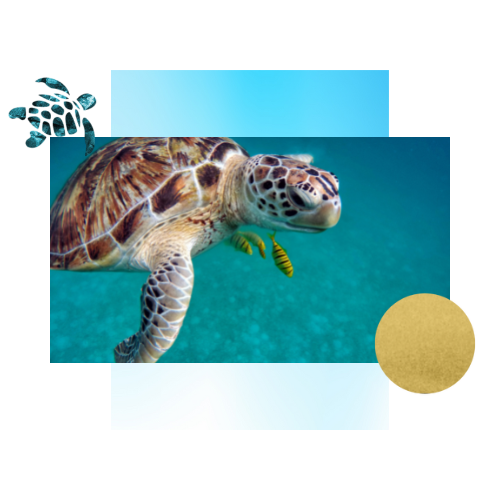
Style direction: modern, clean, marine-evoking
Annotations
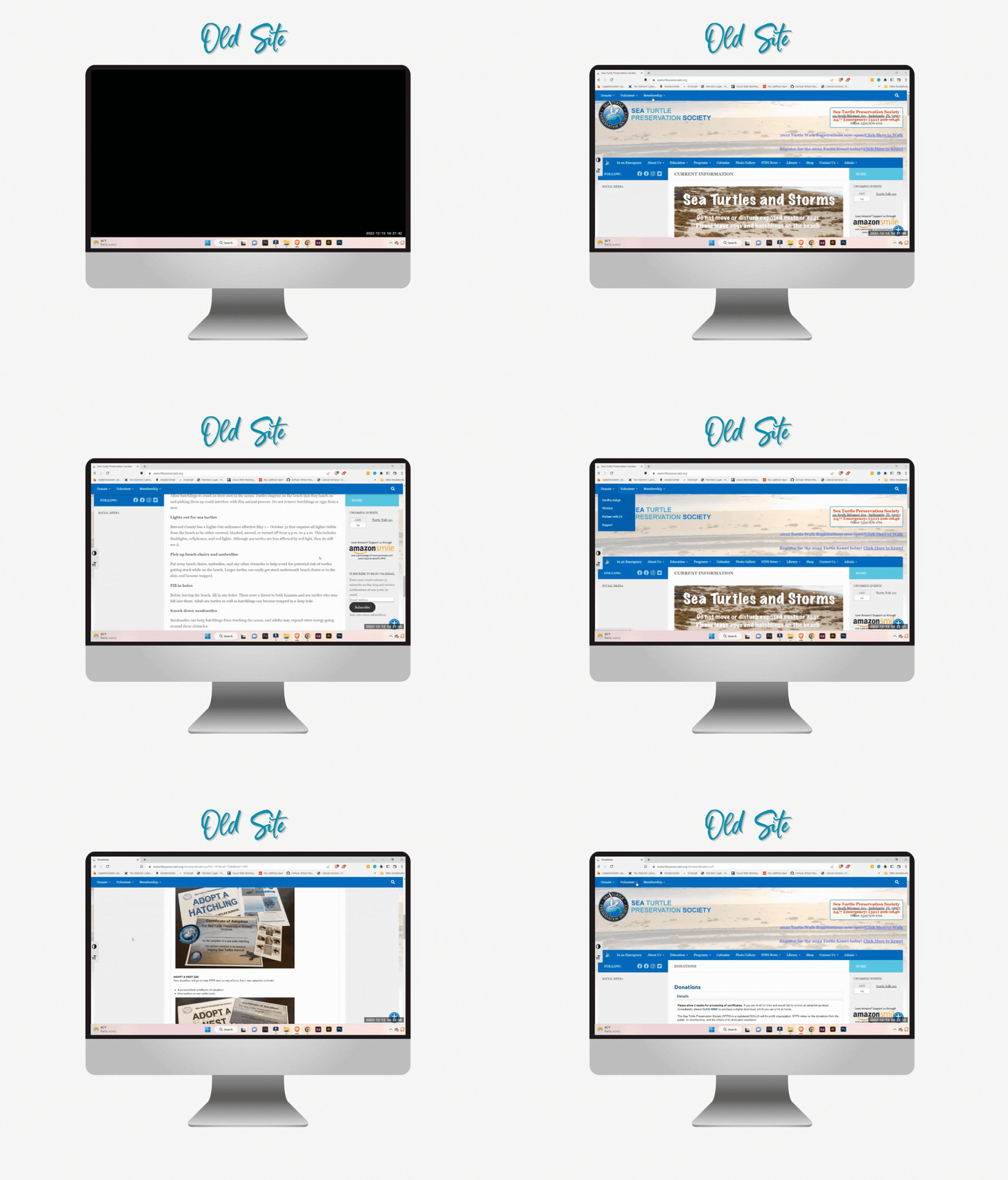
The team began by annotating the issues with the original sea turtle non-profit site. A team member of Sarah’s created the Heuristic Evaluation here.
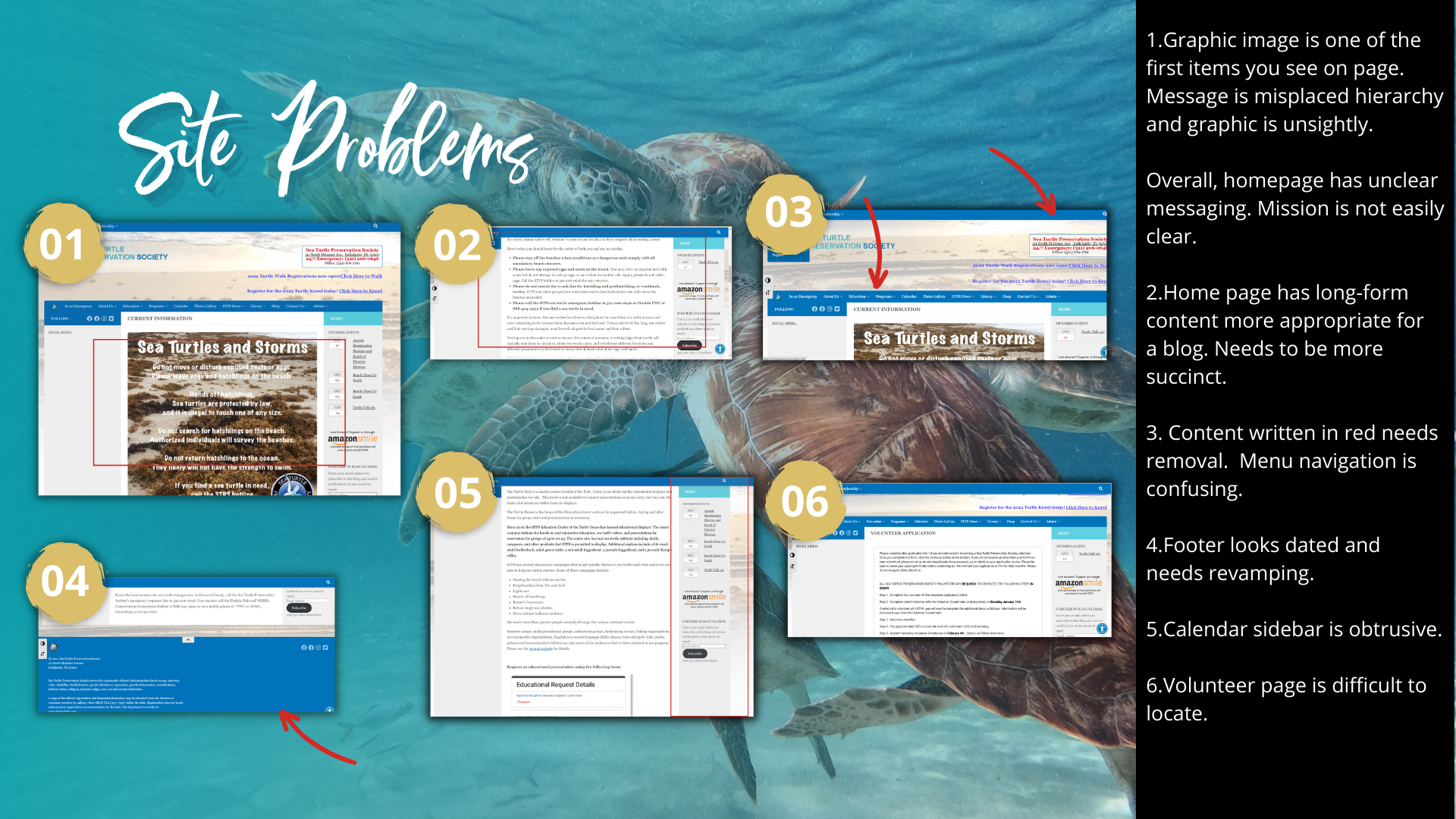
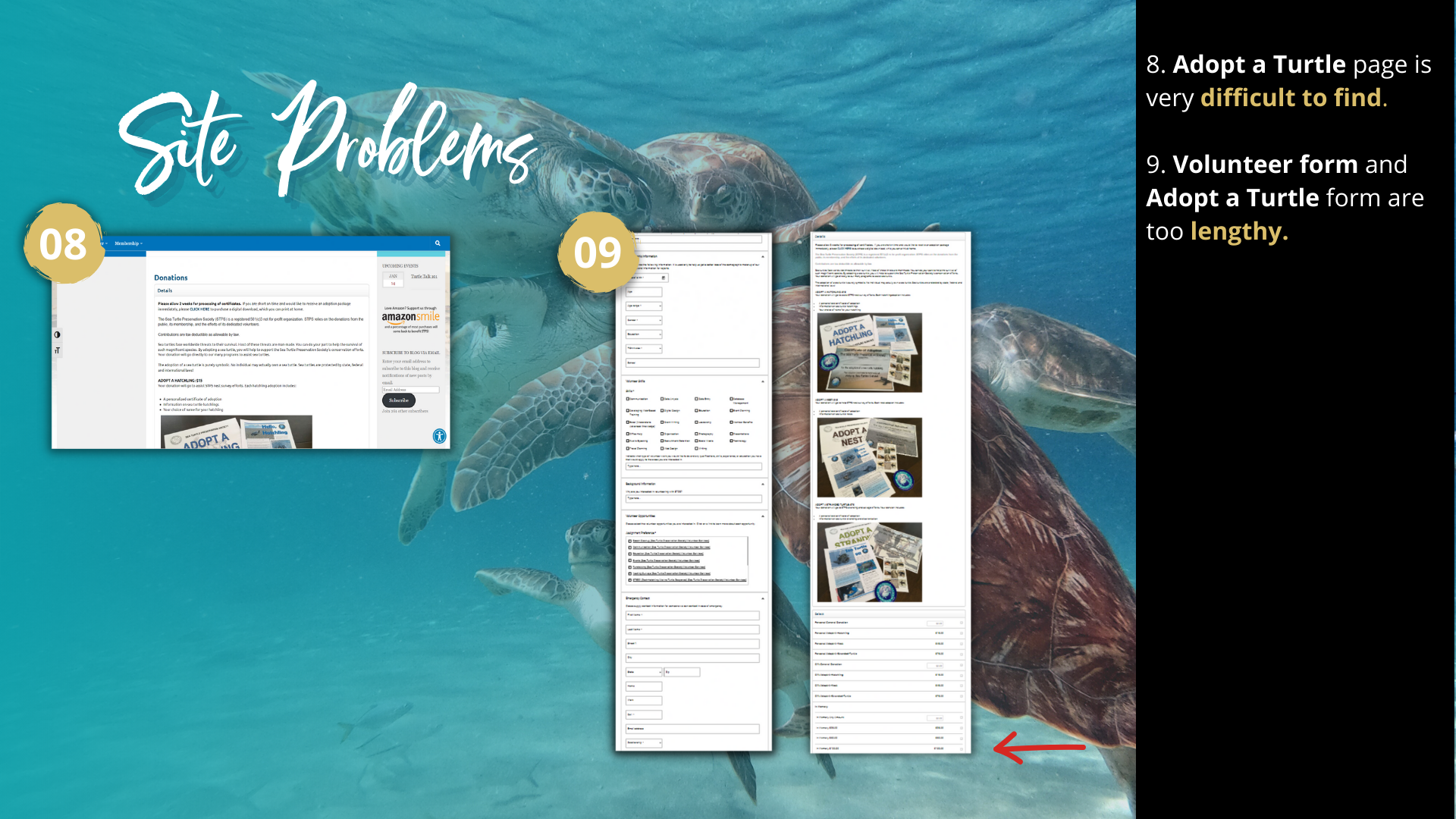

User Interviews
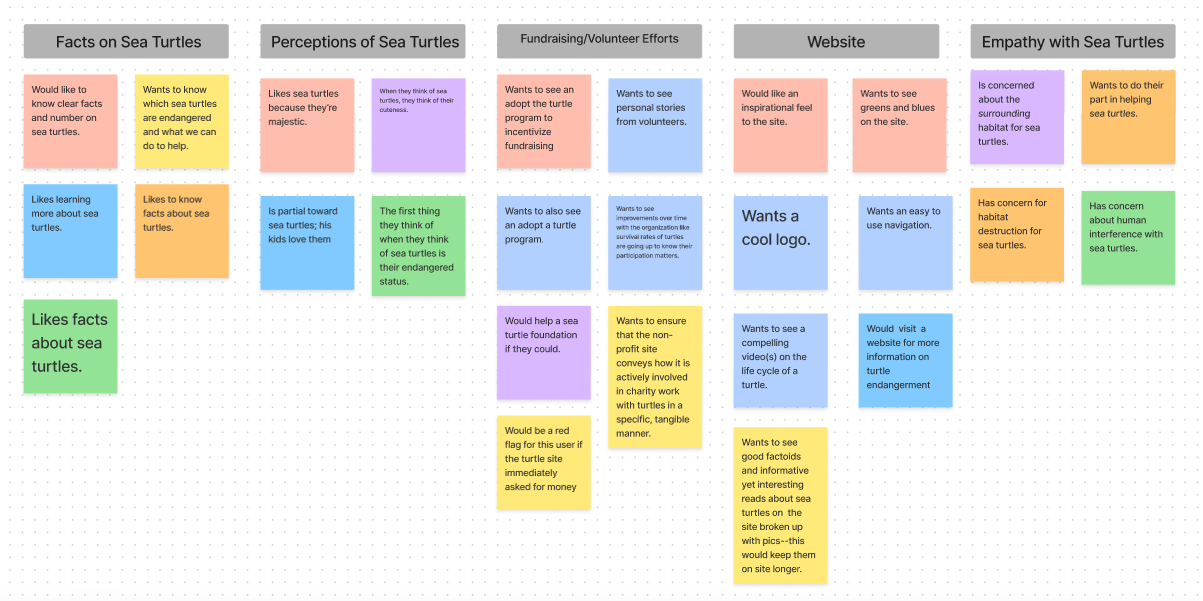
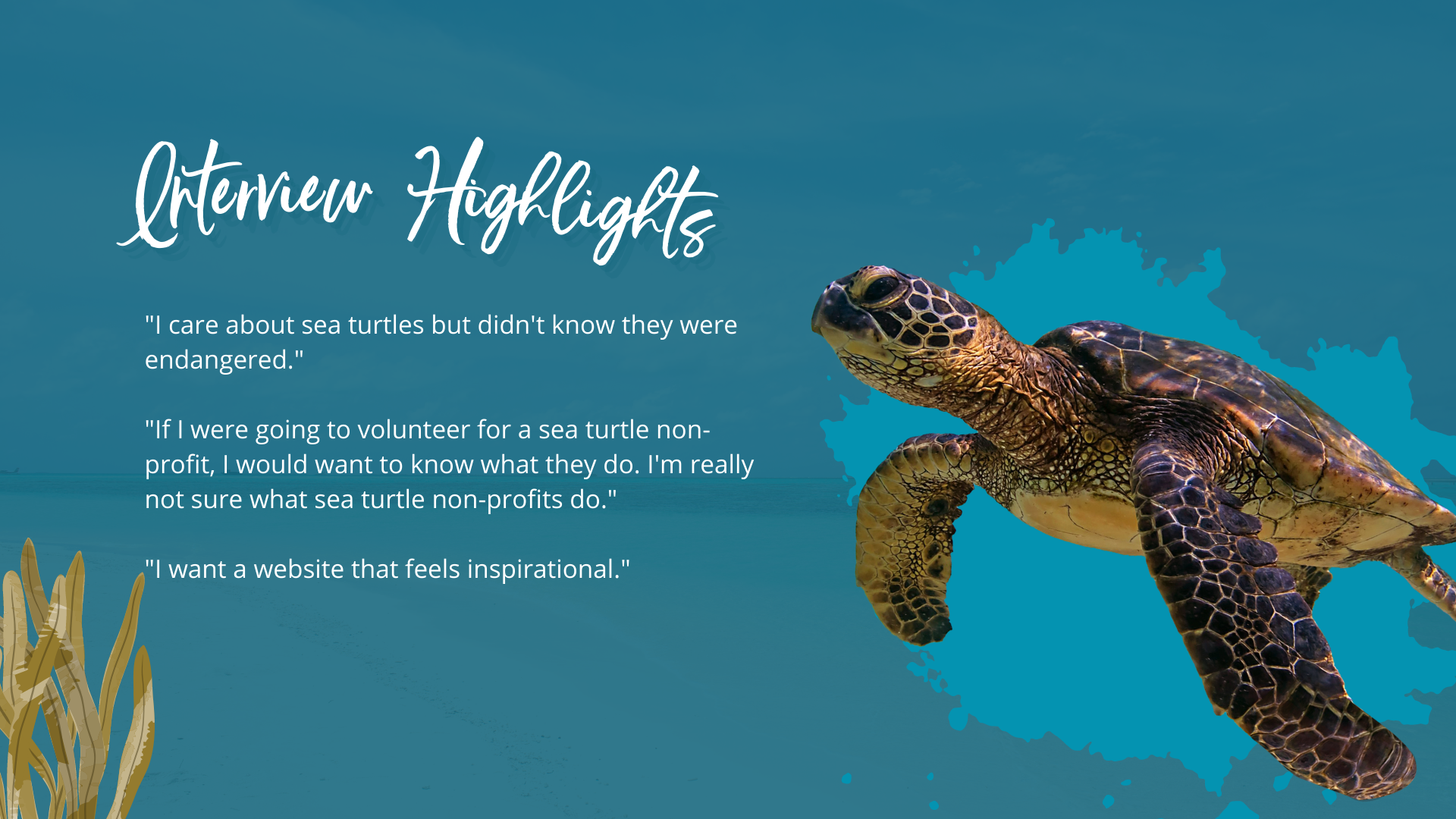
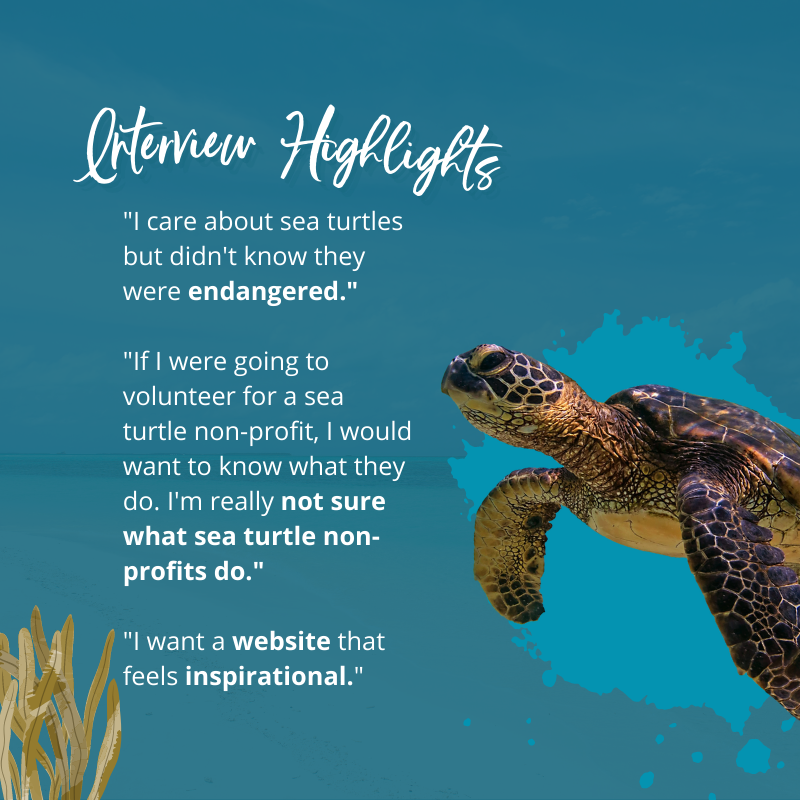
Sarah developed the questions for the user interviews and interviewed three people who had an interest in sea turtles. There was a total of seven interviews with the other team member’s interviews. From this information, Sarah created the Ideation documents (the Affinity Diagram and I Like, I Wish, I Wonder).
From the data, it was discovered that many interviewees were not aware of the endangerment of sea turtles, they were uncertain what volunteer efforts would include at a sea turtle non-profit, and they were interested in the idea of adopting a turtle as a fundraising effort.
User Persona
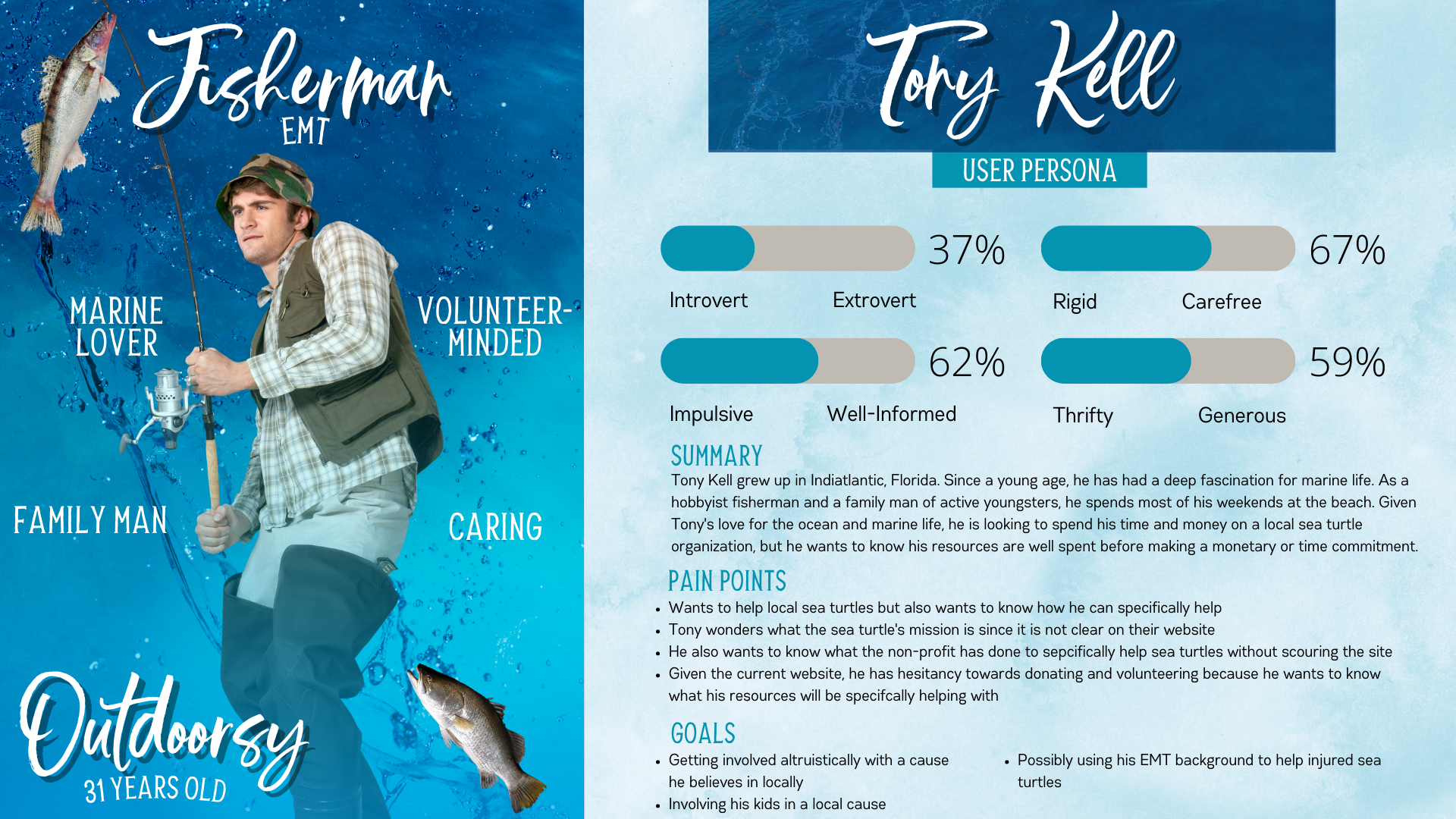
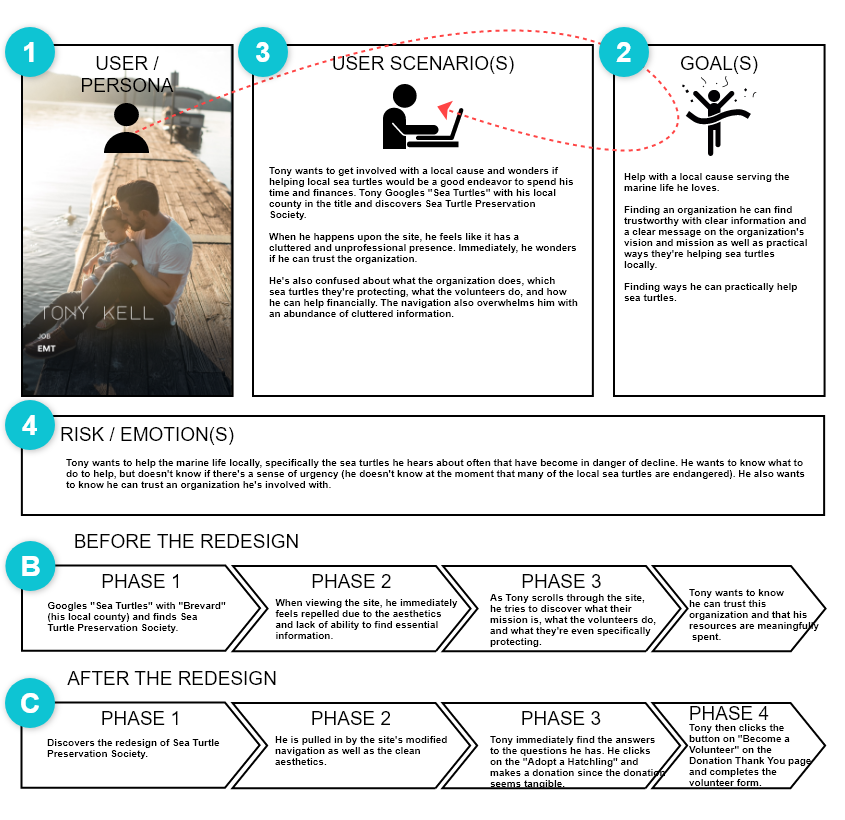
From the gathered research, the team envisioned together Tony Kell–a professional EMT, hobbyist fisherman, and marine lover. (Sarah finalized the graphic.) This helped the team narrow down their areas of focus including the problem statement.
Problem Statment
Tony is a Floridian who needs a revamp of the Sea Turtle Preservation Society’s web page because he desires involvement in the Sea Turtle Preservation Society non-profit but he wants to know that he can trust the non-profit and that his commitment to the organization is meaningful.
Currently, the website repels him because the homepage looks cluttered and unprofessional; he also can’t immediately find the organization’s vision or mission and he finds the navigation challenging.
SWOT & Competitor Analysis
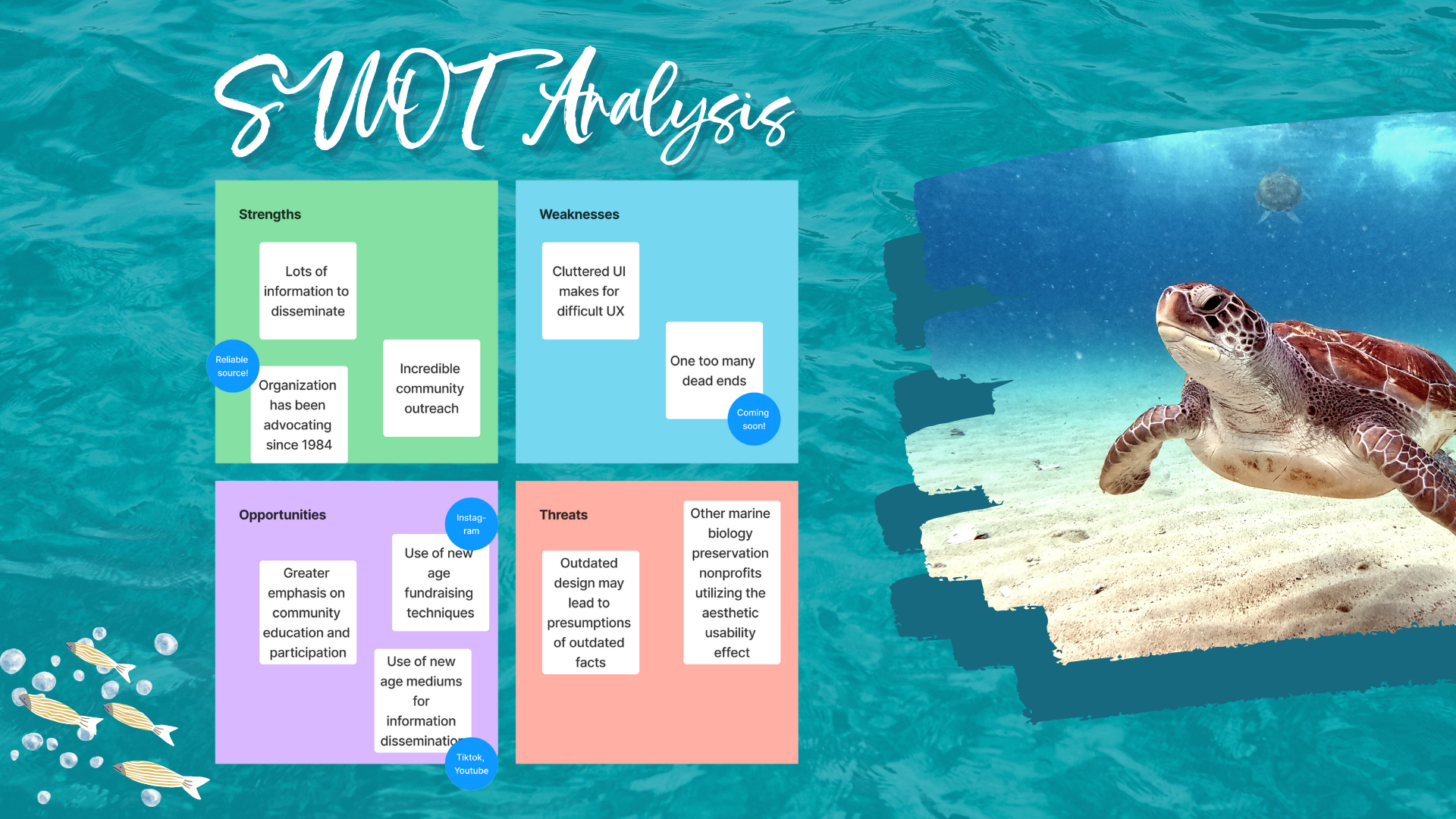
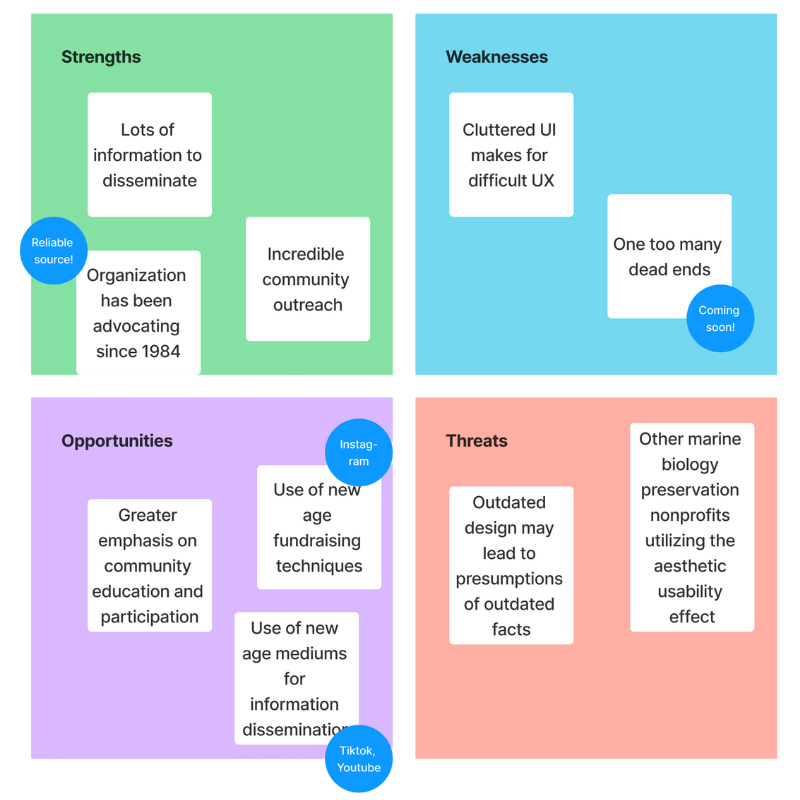
Sarah created the Competitive Analysis analyzing the strengths, weaknesses, opportunities, and threats from five direct competitors and two indirect competitors. From there, a teammate completed a SWOT grid. (Sarah created the background graphic for continuity.)
User Journey Map
Sarah created a User Journey Map complete with the User Persona’s goals and Tony’s journey before the redesign and after. A teammate created a visual of the user scenario with a Storyboard.
Mood Board & Style Tile
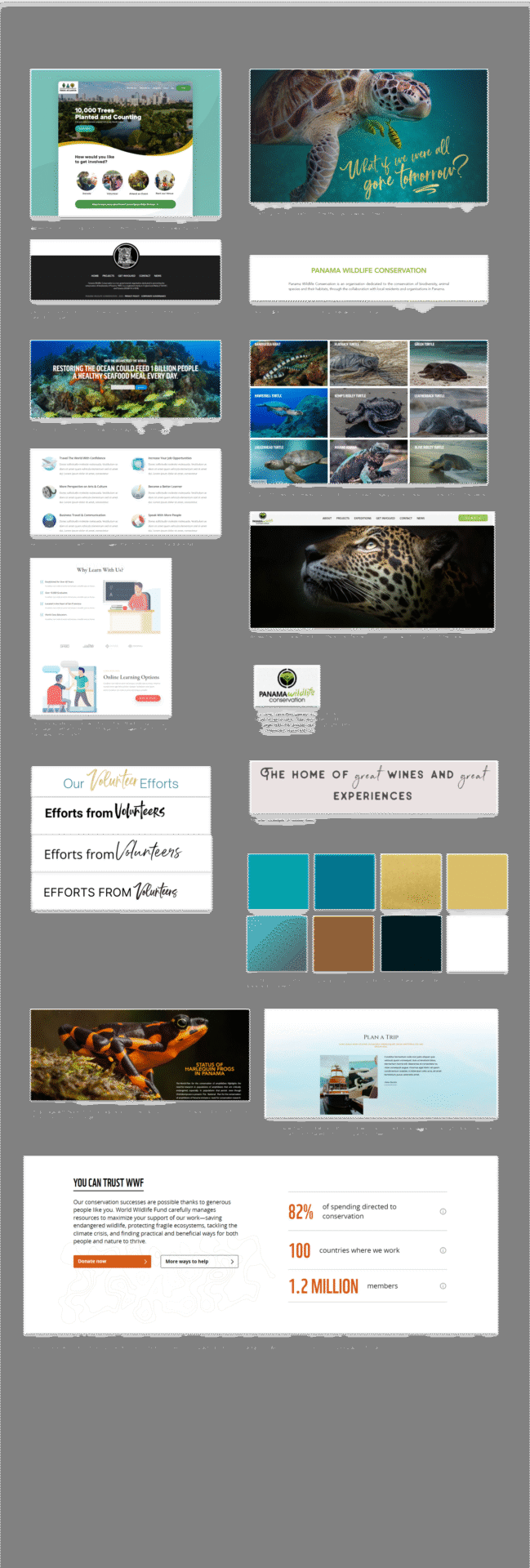
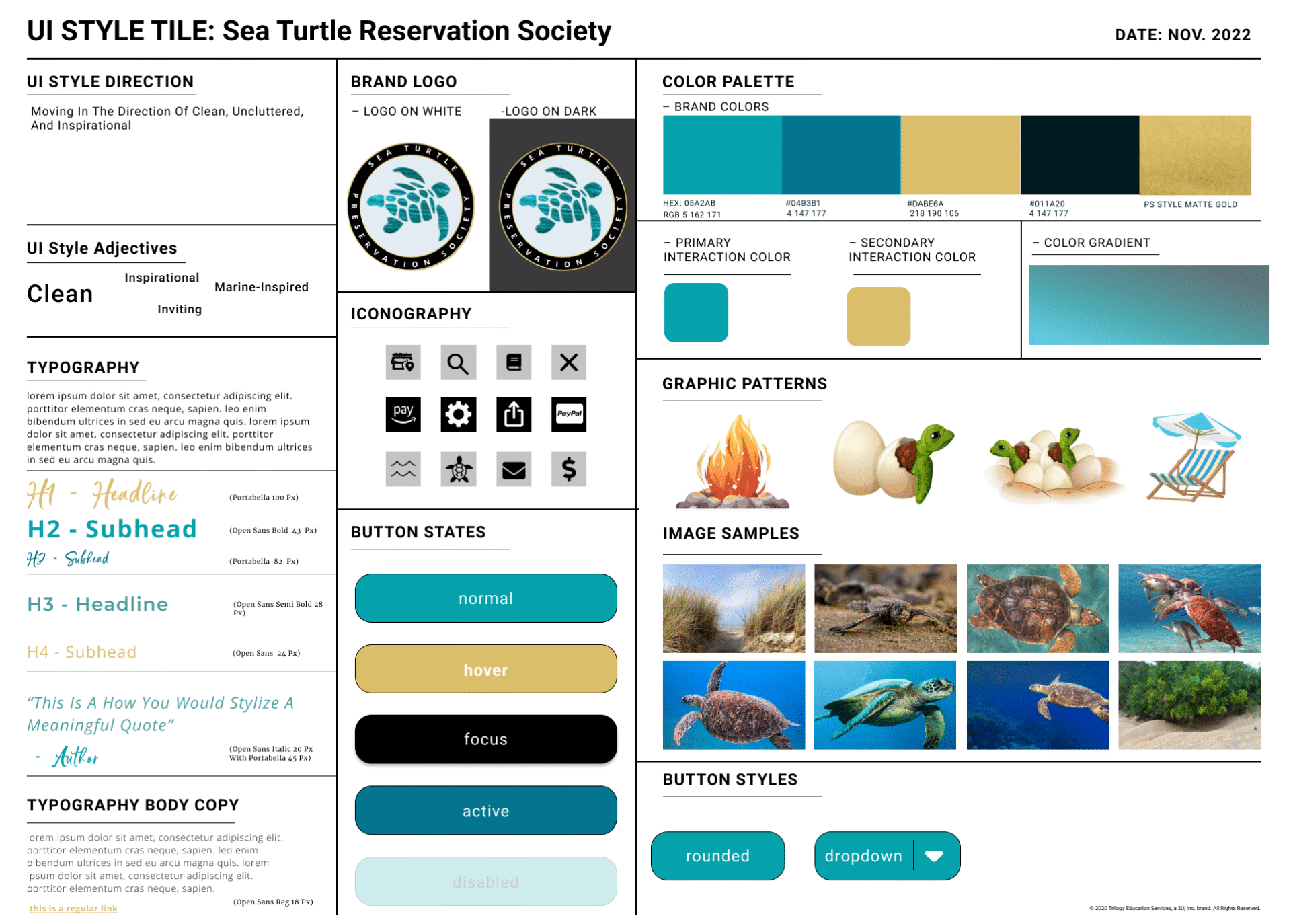
Next, Sarah created the Mood Board which set the stage prototype’s style direction. Included was an animal website a teammate showed the group which the team decided was a direction they were looking to emulate. From there, Sarah finalized the color palette, button states, and font with the Style Tile.
Low-Fidelity Wireframes and Prototype
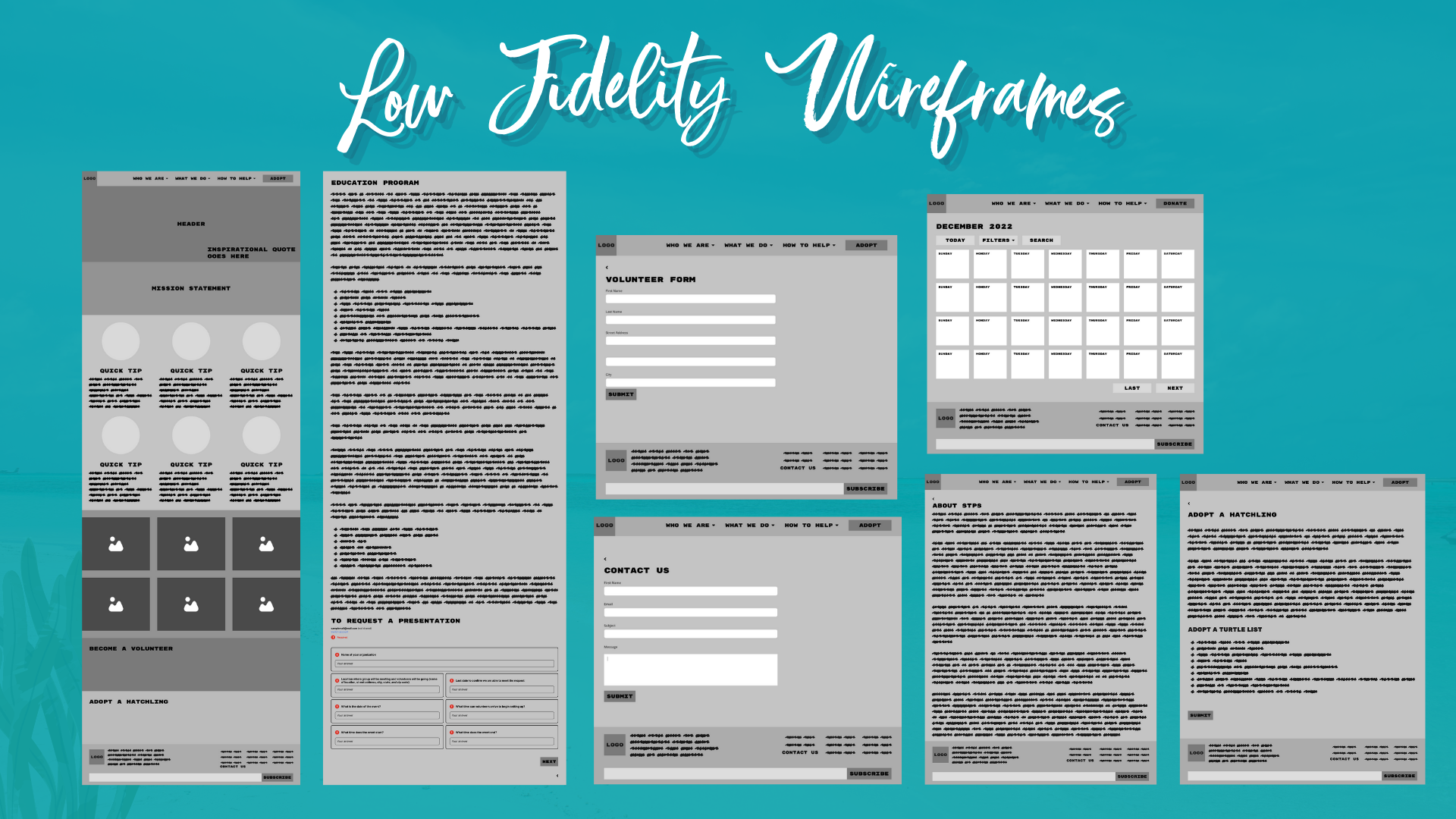
Next, a teammate created the low-fidelity wireframes using the sketch Sarah provided as a rubric for the layout.
Sarah used the prototyped wireframe to conduct usability testing. Her aim was to test ease of use with three tasks with five users. Each user was able to complete the tasks so this enabled the team to have the confidence to progress forward with the design process.

High Fidelity Wireframes
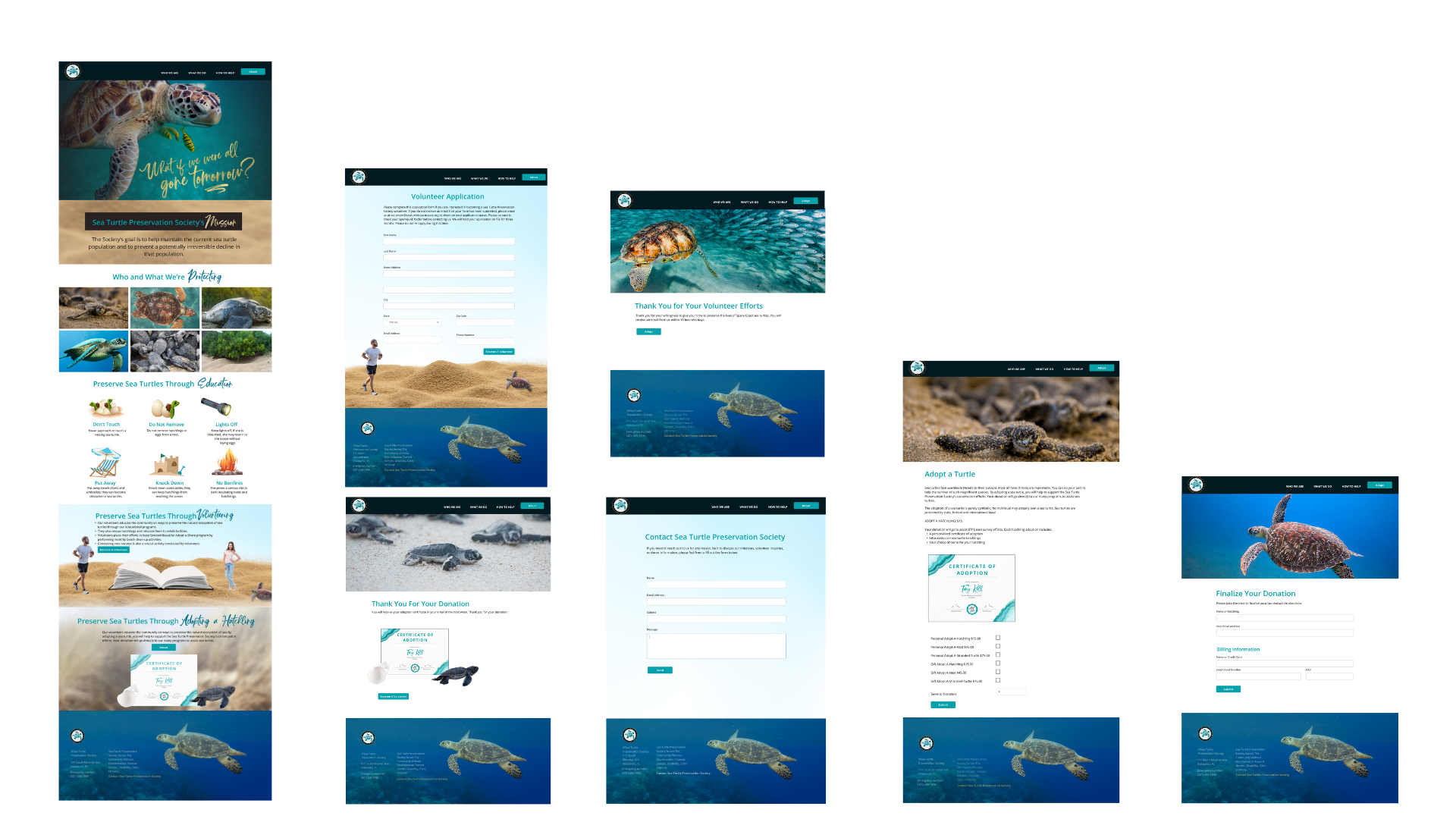
Sarah created a high-fidelity wireframe including original copy. Icon graphics were created by condensing the long-form content on the original home page for ease of use. Now users can visually see the long-form content on the original website in a more readable manner.
Usability Testing
In the Final Usability Testing, users appreciated the color palette reminiscent of the beach, the hover effect on the turtle grid displaying the facts that the majority of interviewees in early research were showing the team they needed. Two out of five users mentioned issues with discoverability of the contact link in the footer which was white. The team iterated by adding a gold link for easier discoverability.


See a viewable prototype by clicking on the computer screen or button.
